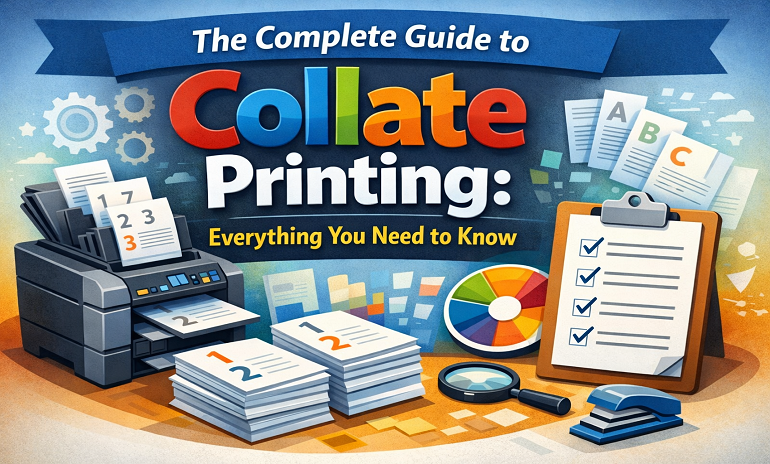
Have you ever found yourself struggling to organize multiple printed sheets together into the desired sequence? Or do you wish to eliminate the hassle of collating printed materials? Collate printing provides a way to solve this issue by guaranteeing that all copies of multi-page documents are always in order, neat, and immediately available for educational, business, or personal use.
In this article, we explain what collation means when it comes to printing, and compare collation vs. uncollated printing methods. Let’s explore everything you need to know!
What does collate mean when printing?
You might have noticed different choices available when printing multiple-page documents, such as the collate option in your print settings. But what does collate mean? What are the advantages of this option? What are some common examples of collating at work?
Why is it that people look up collate meaning printer and collated meaning? What if you are not interested in collating? And how to turn on collating in print settings?
What is the meaning of collate?
The term “collate meaning printer”, when it is made into a Google search, is extremely popular. The Collate function refers to the ability to organize printed Sheets/documents back into their original sequence. Collating allows a user to create a book with pages that are printed in pairs. The “Collate” function is generally used for the printing of Catalogs, Booklets, and manuals, etc.
Thus, when collating is done by a printer, the first copy of every page is printed sequentially one after the other (for example: copy #1, Print: Pages 1-25, copy #2 Print: Pages 1-25, etc.).
The collating of a hundred copies in this manner will result in a total of one hundred collated copies that are directly usable without any manual sorting of those one hundred collated copies.
Benefits of collated printing
One of the most talked about advantages of collating is that it allows printing multiple copies of multi-page documents automatically. It used to be a tiresome task before the advent of printing software. You had to sort the pages manually. However, with the development of printing software that includes such options for printing multi-page documents hassle-free, it is not difficult anymore.
A few more advantages of collate printing are listed below:
This technique offers convenience for printing large quantities of pages
Arranging multi-page documents like booklets, books, magazines, and directories is probably the most time-consuming and stressful task. It also heightens the chances of making mistakes like getting the arrangement mixed up or in the wrong order.
Collation in printing, however, definitely solves all these issues and makes the printed documents after printing ready to use. These documents are already in order, and no extra work is needed.
Time Saving When Printing Multiple-Page Documents
You don’t have to be worried about manually sorting pages when it comes to sorting and arranging them in a specific order. How? Collate printing enhances business workflows and saves time on printing multiple-page documents. Besides, it also takes off an individual’s personal load of physically sorting large quantities of pages after printing.
Accurate Order You Want
Sometimes you may pick the wrong order of pages by mistake. So, printing collation is a way in which these papers can be ordered and printed without much human effort. This method greatly lowers the chances of losing or mixing up the pages.
Therefore, no additional personnel are required to verify the printed documents once again. The documents are correctly ordered and can be utilized right away.
The most common use cases for collating
Collating is the most essential part of printing multiple-page documents. No one likes it when the pages of their document printout are jumbled. To help you understand better, here are some popular scenarios of collate printing providing value.
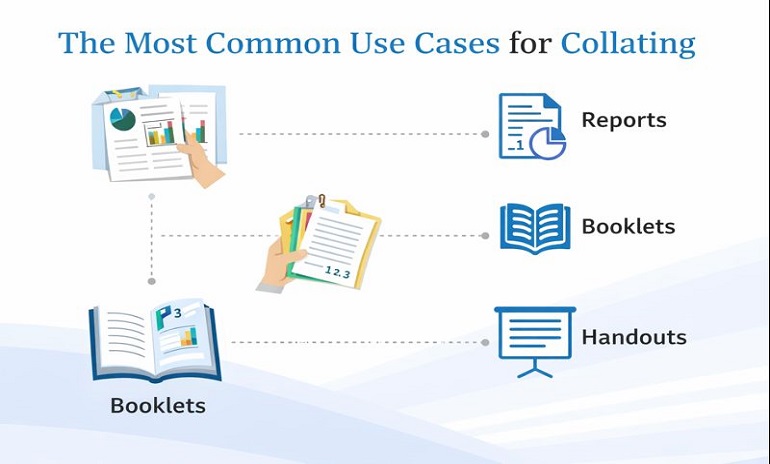
| Use Case | Details |
| Print Reports | It keeps the printed pages in the correct order without any manual interaction or hassle. |
| Presentations | It makes sure that each set of slides is sorted in the order you want for seamless delivery and effective communication. |
| Manuals/Guides | It provides the sequence of pages that is crucial for the right understanding. |
| Invoices/Billing | It ensures that information is printed in an organized manner for better understanding. |
Difference Between Collated Printing and Un, collated / Non, collated Printing
Users often ask for the difference between collated printing and uncollated printing. Understanding this difference will enable you to make the right decision when printing documents.
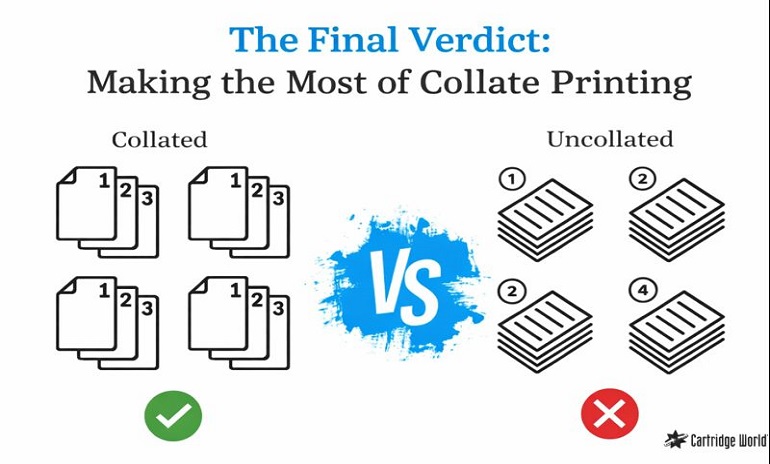
Collated Printing
It means printing multiple-page documents in a proper order. One set has one copy of each page of the original document laid out in the correct sequence. Also, it relates to any printing work where the pages or types of paper have to be printed in a precise order without the inconvenience of checking twice.
Un‑collated / Non‑collated Printing
It is about paper documents, which are printed and sorted individually, not sequenced. It demands that people fix and lay them out in the correct order to be able to use the materials. The method is to print page number 1 of the source document 100 times, then page number 2, etc.
Choose the correct one that matches your printing requirements best.
Automatic VS Manual Collating
Gathering your paperwork from a copying project might be as easy as clicking the
“Collate” button for your multifunction printer.
However, if you want to change stocks within your document, maybe you should start with separate print runs, one for all the pages to be printed on the first stock and the other for all the pages to be printed on a 2nd stock. Each of these print runs can be collated automatically, but you will have to manually collate your pages by hand when combining the large file of standard pages.
Why Collate by Hand?
There are many scenarios where collation has to be done manually rather than by using a printer. Some of these situations have been illustrated below:
The Mix of Bleed & No Bleed
The document contains several images and graphics scattered throughout the pages. Those pictures and graphics are to be printed on the edge, while the rest is just text with a blank margin.
Different Sheet Sizes
Some print jobs need a gradual trim, which means every sheet inside the order is just a little larger or smaller than the previous one. They should all be trimmed one after the other and hand collated.
How to enable or disable collating
Don’t know how to turn on or off the collate printing options in the printer settings? This blog shows you how to do it.
Nonetheless, the whole idea still depends on the OS and printer driver.
You can do this by:
- Open the Print settings
- Locate Collate and turn it On or Off
If you’re unable to locate this option in the Print settings, then either consult the manual of the printer or look online (through Google) for directions on how to enable this feature.
Do you need a printing partner for packaging anything from books, boxes, and packaging to other things? Just come to us and you will have the answers to your questions.
In addition, we provide custom pizza boxes with the dimensions, shape, design, and printing that meet your requirements.
Kindly get in touch with us for our packaging services at the most affordable prices.
The Final Verdict: Making the Most of Collate Printing
Collation in printing helps to save time, keep the pages of documents organized, and maintain multi-page documents in the right order you want. In this post, “collate printer meaning”, “collated meaning”, and the distinction between collated and uncollated printing are thoroughly discussed. Moreover, it provides a better insight into the use of each and how it increases productivity.
Collation in printing is a concept that covers the range of documents such as reports, educational materials, manuals, invoices, and presentations, which are printed in the right order and with a professional finish. Regardless of the reason behind it, getting to grips with these basics will make any printing task quicker, more efficient, and error-free.
FAQS
Q: What is the greatest benefit of having a collate option when printing multiple-page documents?
A: Collating, being one of the printing features, automatically arranges the copies in order; it saves time and reduces the need for manual sorting significantly.
Q: How do I turn on and off the collate setting in my printer?
A: Through the print settings, it is possible to do this. Locate the “Collate” option in the print dialog and either choose or unchoose it.
Q: My printer does not have the feature of automatic collating. Is it possible for me to collate pages manually anyway?
A: If you want to, you can print your parts one at a time and simply organize the pages by hand afterwards.
Q: What is the right time for me to use uncollated printing rather than collated printing?
A: You should use uncollated if you are printing single pages for manual assembly or using different types of paper.
 ✦ Written byThe Claws Custom Boxes packaging teamStructural designers and print specialists helping brands get boxes right the first time.
Ask an expert
✦ Written byThe Claws Custom Boxes packaging teamStructural designers and print specialists helping brands get boxes right the first time.
Ask an expert